When you are behind the wheel of a new Hyundai sedan or SUV, you are equipped with the latest set of intuitive technology features to enhance your time on the road.
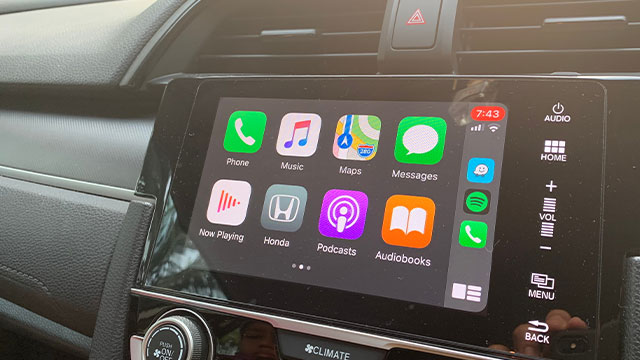
Apple CarPlay® allows you to stay connected to your smartphone without taking your hand off the wheel. Being able to make phone calls, listen to music, or navigate through Fayetteville, Apple CarPlay® is a system made to benefit you.
Here at Lee Hyundai of Fayetteville, we want to help you connect Apple CarPlay® in your Hyundai with a simple step-by-step guide.
Setting Up Apple CarPlay® in Your Hyundai
In order to connect to Apple Carplay® in your Hyundai, you need to have an Apple iPhone 5 or one of the newer generation iPhones with the latest running version of iOS, USB to Lightning Cable, and of course, a Hyundai vehicle with Apple CarPlay® support.
Once you have all those items, follow these instructions:
- On your Hyundai infotainment touchscreen, navigate to Setup > Connectivity > iOS > Enable Apple CarPlay.
- Connect your iPhone to your Hyundai with a USB-to-Lightning cable. The USB port is located just below the infotainment screen.
- On your Hyundai infotainment screen, a green Apple CarPlay logo should appear. Click the icon to open up Apple CarPlay. Make sure to click "Allow" on your iPhone screen.
- Your iPhone and Hyundai are now connected with Apple CarPlay.
Extra Tips and Information After Connecting Apple CarPlay®
Once you set up your Apple CarPlay® there are many different ways you can customize it to your preferences.
Through the Apple CarPlay® Settings app, you can turn on features such as Siri Suggestions, album art, Do Not Disturb While Driving on and off, or even color scheme between dark and light mode. If you rely on Apple Maps for directions, it is now possible to view buildings like gas stations and restaurants in 3D.
To adjust your settings, simply go to Settings > General > Apple CarPlay®. Choose your connected vehicle (or set up CarPlay from here) and tap Customize. This will reveal all the apps you can use while you’re driving.
Fayetteville Drivers Stay Connected with Apple CarPlay®
For more information or questions about connecting Apple CarPlay in your Hyundai sedan or SUV, feel free to contact us at our Hyundai dealership in Fayetteville today. Serving the areas near Hope Mills and Spring Lake, we hope to hear from you soon!